






















Receiving Email Notifications
We have a number of email notifications available to help you monitor and review your pupils' progress on the BOFA platform. These emails are available for all parents, tutors and school administrators. To choose which notifications you would like to receive go to your edit my account page. You can turn all notifications on or off from the main page, or, if you press the advanced settings button, you can choose which types of notification you would like to receive on which days of the week.
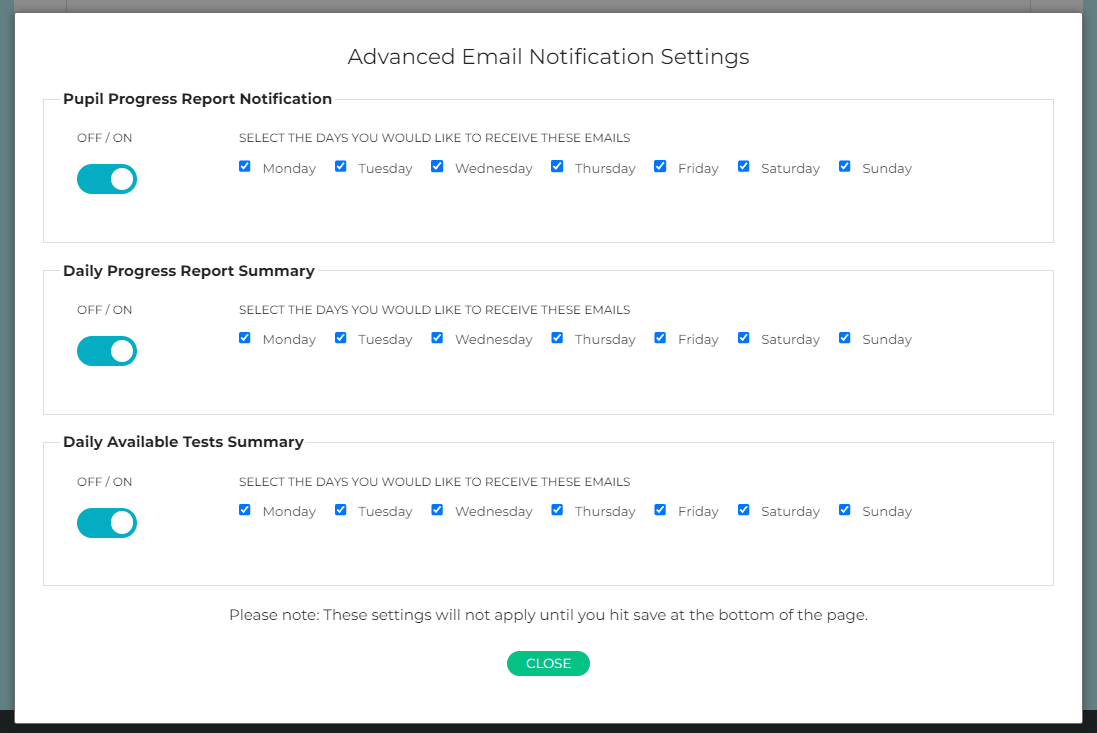
Please note that after editing the daily options in the popup window you must then save your account settings back on the edit account page.
Pupil Progress Report Notification
You can choose to receive an email notification after every test a pupil completes. The email tells you the test subject, number and stage completed and how long was spent taking the test. The test percentage score and standardised score are also included.
- You will receive one email on completion of the initial test prior to the practice questions.
- A second email is sent out on completion of the retest.
Daily Progress Report Summary
Rather than receiving an email for every test completed by every pupil, you can choose to receive a single daily email which summarises all tests taken that day by your pupils.
The Summary email lists every test completed, listing the pupil's name, test subject and number, the initial test percentage score and time taken and if applicable the retest score and time taken.
Daily Available Tests Summary
This summary email lists all pupils who have tests available, detailing the number of tests that are available and how many (if any) of these available tests are overdue.
Not receiving email notifications
If your account is set to receive notification emails but you are not receiving them, please check in your spam/junk folder as occasionally these emails get classed as spam by email service providers.
Default settings
The default setting for each of these emails is for them to be sent. If you do not wish to receive these emails, or wish to choose which days of the week you receive them, go to your edit my account page and un-tick the boxes as required.